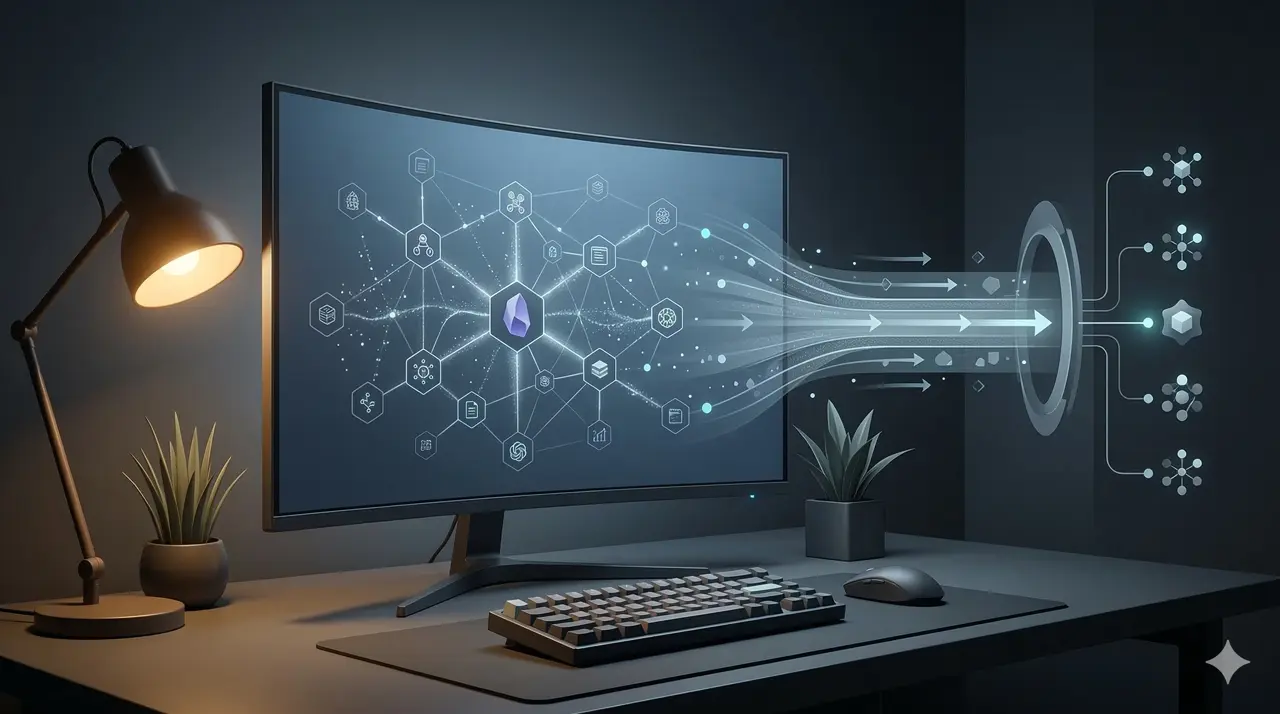
For a long time, I’ve used Obsidian as my “second brain”—a place where I store everything from project documentation and architectural patterns to random daily thoughts. But as I started relying more on AI tools like ChatGPT and in-editor assistants like VSCode (Cursor/Antigravity), I realized a huge missing piece: my AI assistants couldn’t access my own knowledge base.
I wanted my AI to natively “know” what I know. That’s why I built a custom MCP (Model Context Protocol) Server for my Obsidian Vault.
Here is how I designed it, how it securely connects to the outside world, and how it has completely changed my daily workflow.
The Architecture: Bypassing the Middleman
Most integrations with Obsidian rely on the official Obsidian app being open and running a local HTTP REST API plugin. I wanted something much more robust, headless, and fast.
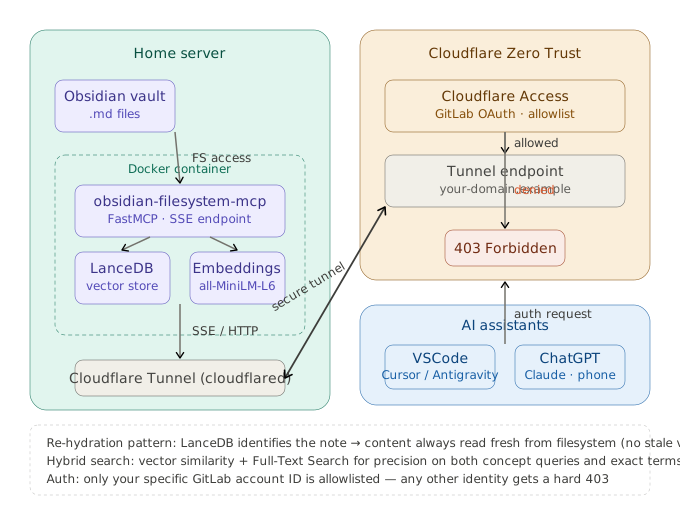
My implementation follows a hybrid architecture designed for speed and reliability. At the foundation, a dedicated filesystem repository interacts directly with the .md files, treating the local folder as the immutable Source of Truth. This bypasses the need for the Obsidian desktop app entirely.
Building on top of this is a high-performance vector layer powered by LanceDB. This layer uses a local embedding model (all-MiniLM-L6-v2) to transform my notes into a high-dimensional vector space. When an AI agent performs a query, it executes a semantic lookup that detects relationships between concepts even when exact keywords are missing. A key design choice here is “re-hydration”: the semantic layer identifies the correct note, but the content is always pulled freshly from the filesystem to ensure the AI never works with stale information.
Here is a quick breakdown of its core features:
- 🧠 Vector-Powered Discovery: Performs semantic lookups to find relevant context by intent and meaning, going far beyond simple keyword matching.
- 🔍 Hybrid Search Engine: Combines vector similarity with Full-Text Search (FTS) to ensure high precision for both technical terms and broad conceptual queries.
- ⚡ Incremental Sync: An intelligent indexing strategy that monitors file modification times to only update changed notes, keeping the search index fresh in milliseconds.
The Big Picture
Below is the architecture of how everything fits together—from the local vault to the cloud-based AI:
Security: Exposing My Second Brain (Safely)
Obviously, opening my personal notes to the internet is a terrifying thought. I needed a way to securely connect cloud AI tools (like ChatGPT) to my server without opening ports on my router.
To solve this, the server is exposed through a Cloudflare Tunnel. This creates a secure, outbound-only connection from my local machine to the internet.
But a tunnel alone isn’t enough. I added an authentication layer using GitLab OAuth. The system sits behind an OAuth proxy that explicitly filters by GitLab account ID. Only my specific GitLab account is permitted to authorize and access the MCP. If anyone else tries to connect or reverse-engineer the endpoint, they hit an insurmountable authentication wall.
How I Use It Every Day
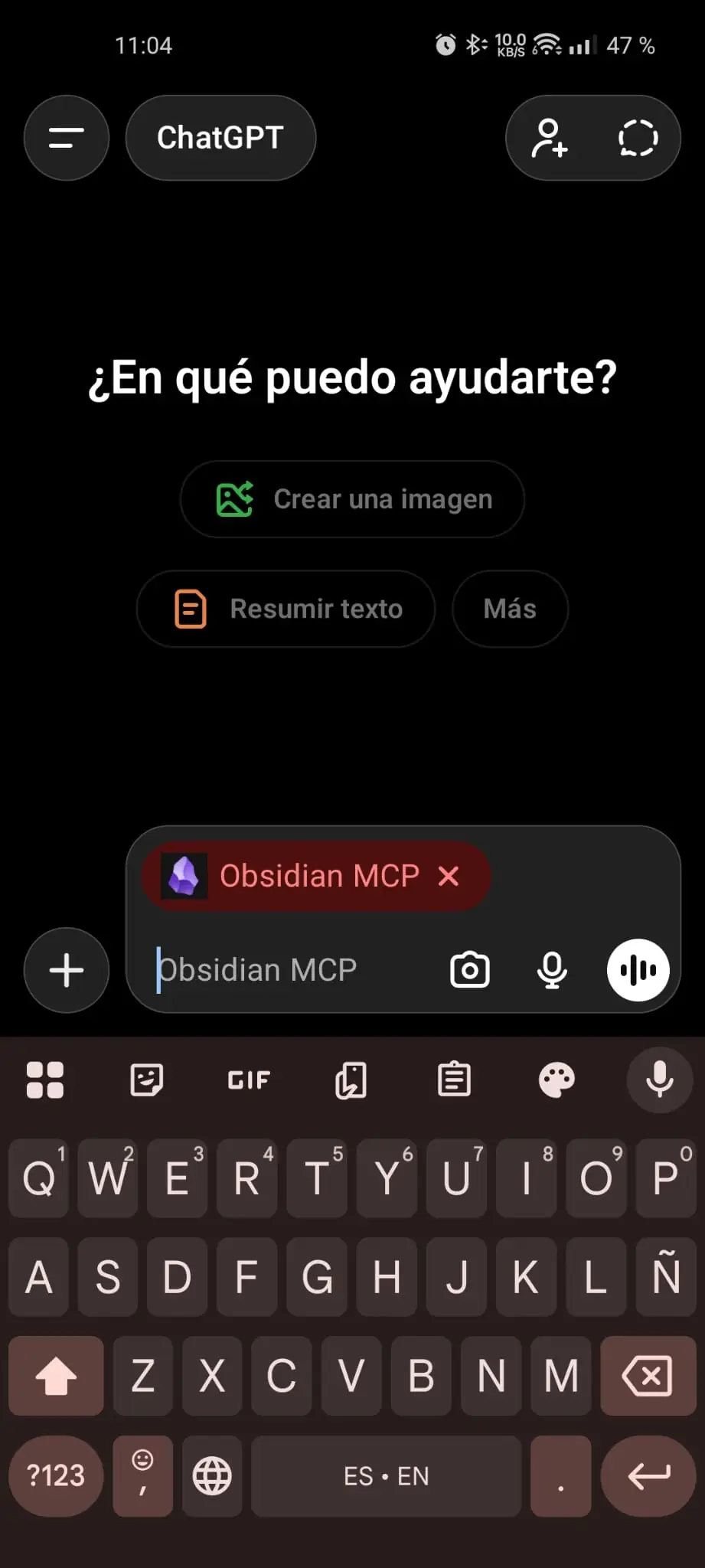
With this setup, my vault is now a unified backend for every AI tool I use.
In VSCode (Coding & Documentation): While I’m writing code, my IDE can transparently search my vault. If I need to implement a specific pattern I researched months ago, I just ask the AI: “Fetch my notes on DDD Fitness Functions and apply them to this module.” The AI automatically calls the MCP, searches the vault by semantic meaning, retrieves the code snippets, and writes the implementation.
In ChatGPT (Brainstorming & Architecting): A much more interesting workflow happens when I’m away from my desk. While waiting for the bus, I can talk to the LLM from my phone and ask it to read my notes about RAG architectures. From there I can debate trade-offs, ask follow-up questions to deepen my understanding, and explore angles I hadn’t considered before. Once the conversation is done, I can ask it to update the original note with the new insights. Through a dedicated skill, I also tell it how to manage the editorial side of the note properly: front matter, links, tags, and the overall structure I want the vault to keep.
Conclusion
Implementing a dedicated MCP server to interface directly with the filesystem provides a robust, low-latency bridge between local knowledge and LLMs. By decoupling the data layer from the editor and implementing a hybrid search strategy, a static collection of Markdown files is effectively transformed into a high-availability context provider. This architecture ensures that personal knowledge isn’t just stored, but becomes a programmable and active component of the AI’s execution environment.